 JuegosFriv

Draw a skin for Mineblock with physics
Draw a skin for Mineblock with physicsSimilar games





Draw a skin for Mineblock with physics
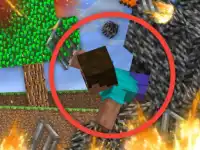
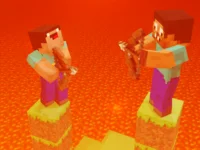
Skin building in Mineblock lets you assemble colorful blocks into a custom character, then take it apart or blow it up to see how it holds together.
Skin building in Mineblock lets you assemble colorful blocks into a custom character, then take it apart or blow it up to see how it holds together.
How To Play Draw a skin for Mineblock with physics
Select the color and block you want, then click the desired pixel to fill it in.
Controls and Features
Each skin is built block by block, and you decide which color fills each pixel. A special function lets you replace blocks, and you can blow up or disassemble your skin.
Tips
Pick your color and block first so every pixel lands where you planned it. Use the replace function when you want to swap a block after filling it in.
Draw a skin for Mineblock with physics FAQs.
Q: What controls does the game use? A: Select a color and block, then click a pixel to fill it.
Q: What is the objective? A: Create your own skin from various colorful blocks.
Q: What is the main mechanic? A: Building a skin from blocks, then blowing it up or taking it apart.
About this game
- Supported devices
- Desktop, phone and tablet
- Genre
- Hypercasual
- Release date
- 29 September 2026
- Latest update
- 29 September 2026
- Rating
- No ratings yet